Online appointment requests
Let customers request a service visit from their phone or computer, including outside your opening hours.

Service bookings
Add service booking to your existing website or your Auto1Cloud site. Customers send their details and preferred appointment date. Your team follows up to confirm the visit.
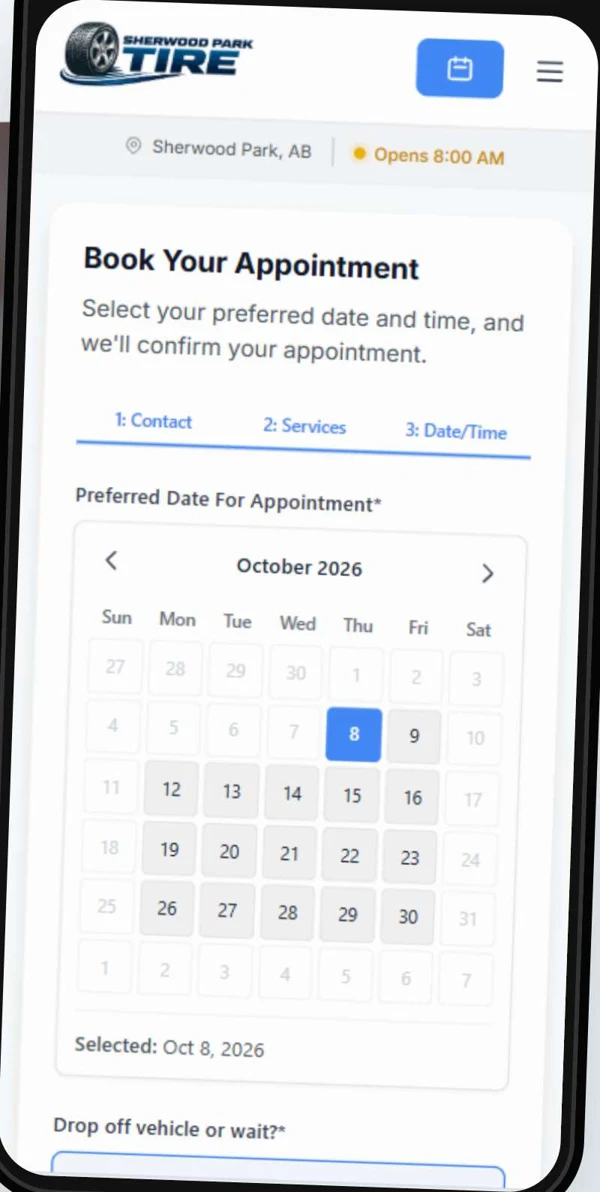
Appointment requests arrive by email and in your Auto1Cloud communications inbox. Configure your booking settings to match how your shop operates, including minimum notice, unavailable dates, and custom responses.
Let customers request a service visit from their phone or computer, including outside your opening hours.
Set minimum notice and block dates when your team cannot accept online requests.
Review requests in your email or the Auto1Cloud communication suite.
Set responses that tell customers what to expect after they submit a request.
Allow customers to request shuttle service when they drop off their vehicle.
Use reminders to help your team follow up on appointment requests.
HOW IT WORKS
Configure notice periods, unavailable dates, and responses.
Use it on your existing website or with an Auto1Cloud website.
Review the customer’s details and contact them to confirm the appointment.
No. The customer requests a date and service. Your team reviews the request and confirms the visit.
Yes. The appointment request tool can be embedded in an existing website.
Requests are sent to your email and the Auto1Cloud communications inbox.
Yes. Minimum notice and blackout dates help you manage which dates can be requested.
SETUP AND SUPPORT INCLUDED
We’ll help you choose the tools and setup that fit your business.
Get Started